2.1.2. Configure BIG-IP App Services
The application has been deployed and DevOps team has entered a ticket for NetOps to configure App Services so applications can be accessible from external users. This often dependent of available change windows and can create huge delays.
Login to BIG-IP gui and configure services.
Select Local Traffic-> Virtual Servers -> Virtual Server List then click create
Type
hello10for NameSelect
10.1.10.10Destination AddressSelect
HTTPService Port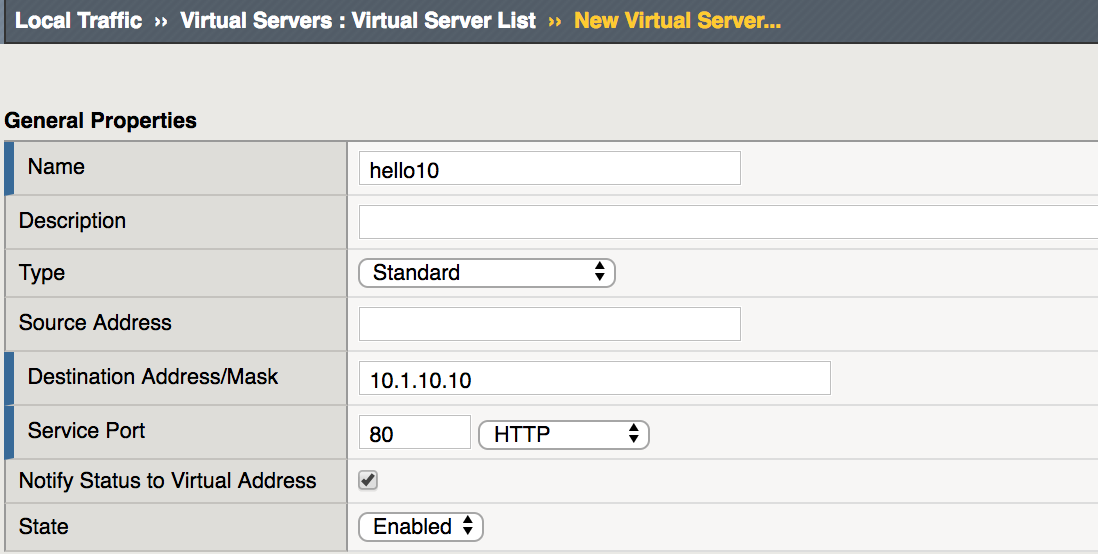
In the Configuration section select
Automapfor Source Address Translation.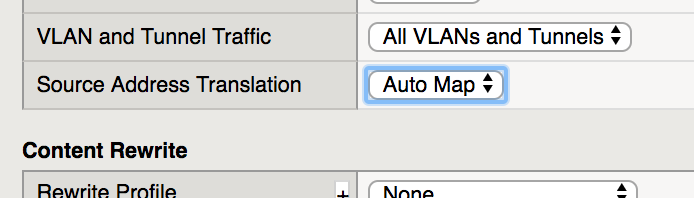
In the Resources section click
+next to Default Pool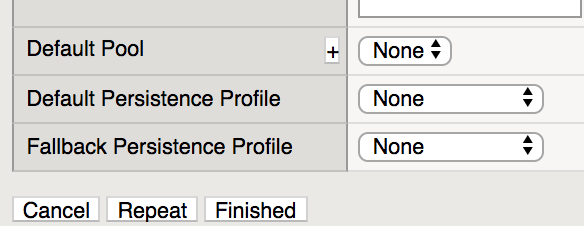
This will open the New Pool Configuration
In the Configuration section type
hello10poolfor Name and selecthttpfor Health Monitors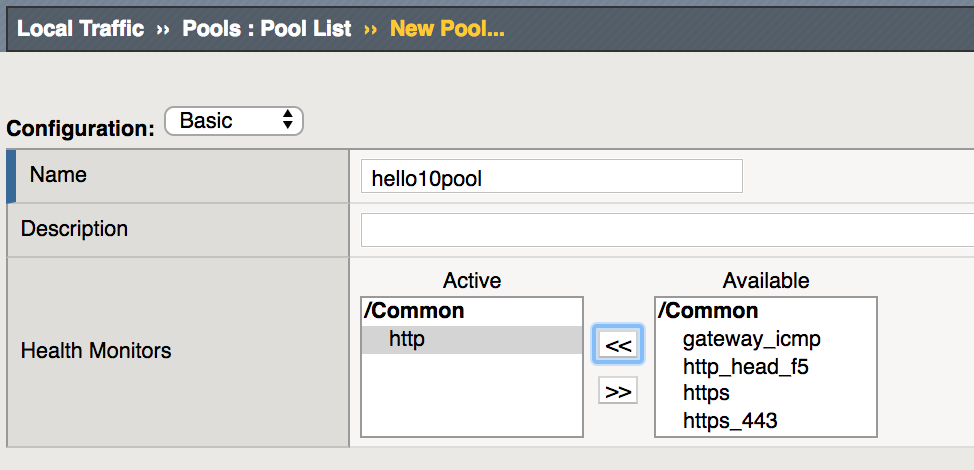
In the Resource section add members
10.1.20.15and10.1.20.16with Service Port80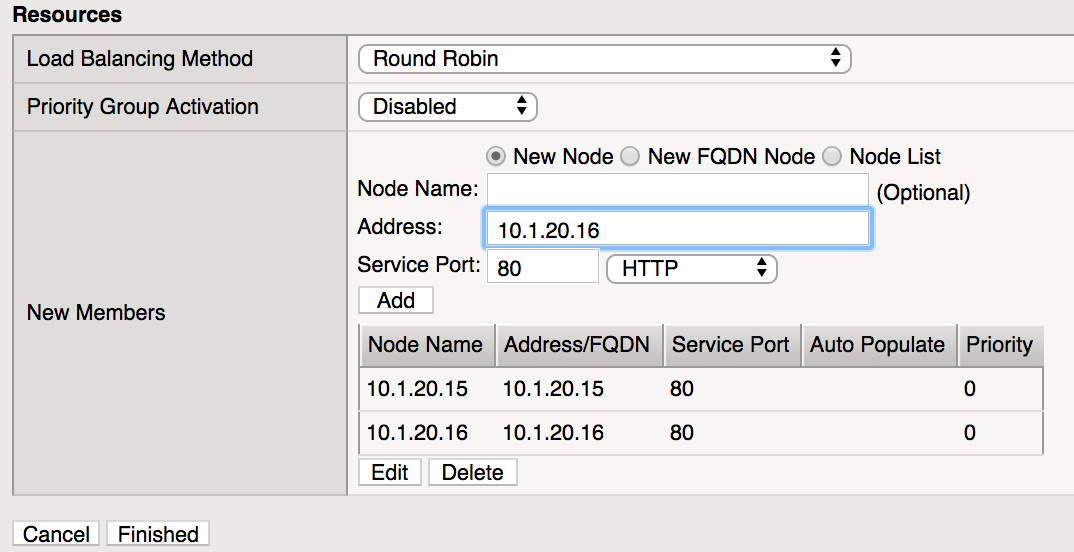
Click Finished then click Finished again.
If successful, you should see similar results
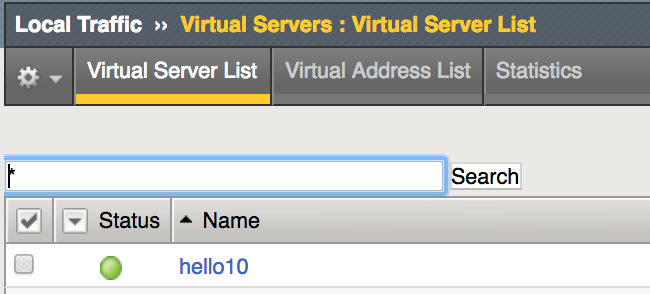
Verify results by browsing to websites.
Open browser to
http://10.1.10.10.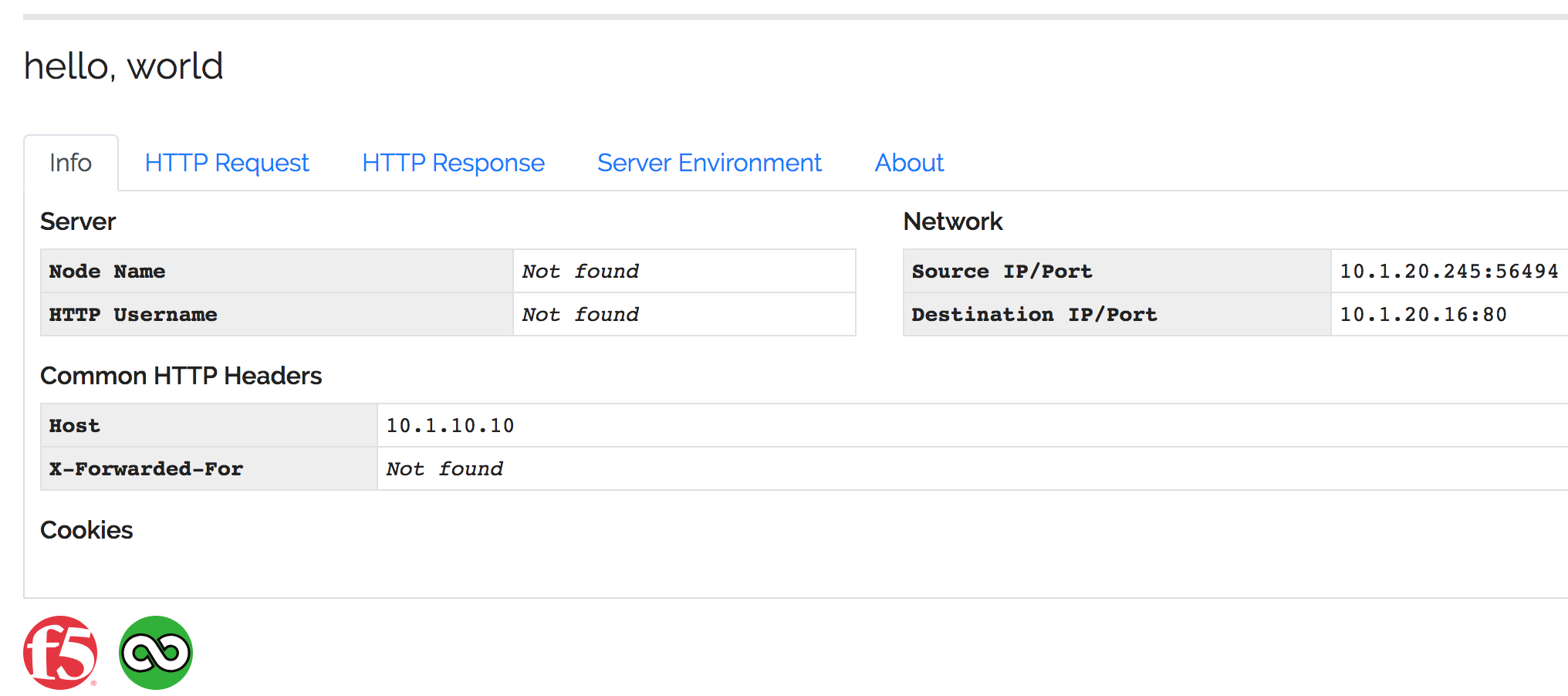
Note
The application is now published and should be available from external network. The F5 BIG-IP is terminating connections and distributing traffic to backend webservers.