2.1.3. Configure BIG-IP App Services (iApp)
F5 BIG-IP has created iApp templates to ease deployment process.
Login to BIG-IP gui and configure services.
Select iApps -> Application Services -> Applications then click create
Type
hello15for NameSelect
f5.httpTemplateSelect
Advanced - Configure advanced options
In the Network Section select
Yes, use new profiles.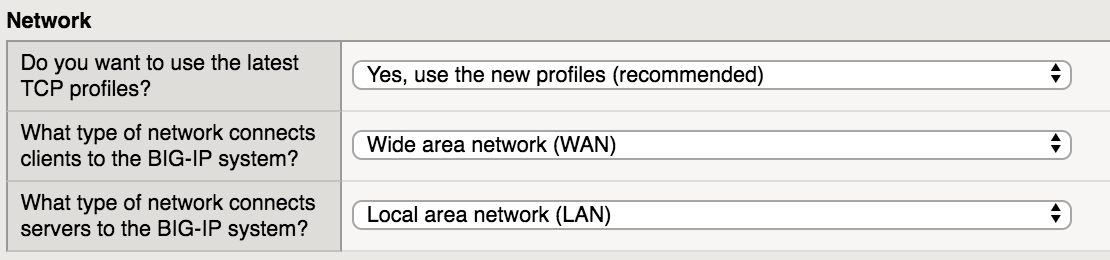
In the Virtual Server and Pools section enter info as shown on image below

In the App Health section type
hello, worldfor expected response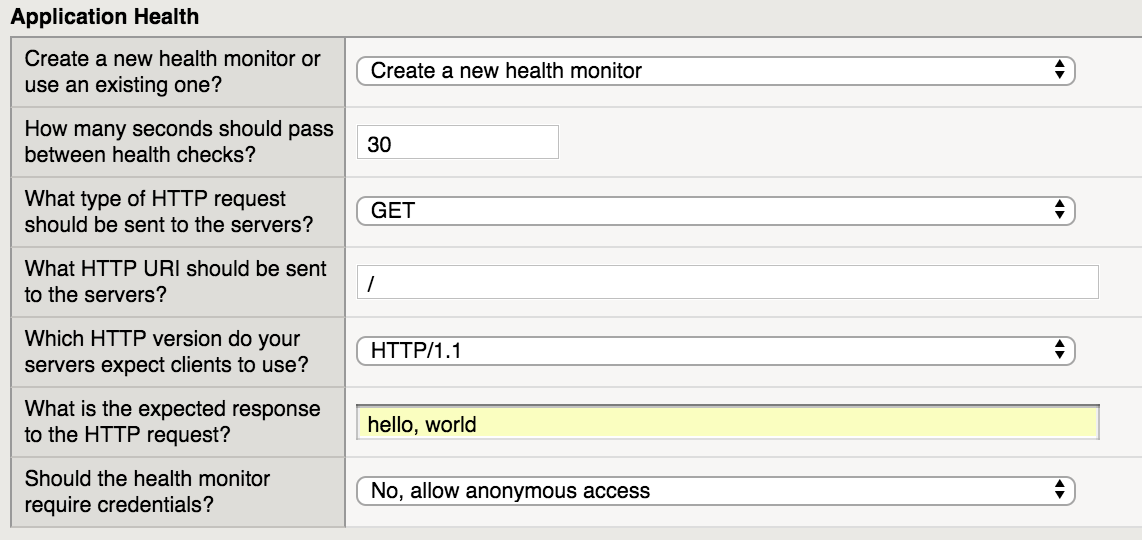
Click Finished
If successful, you should see similar results

Verify results by browsing to websites.
- Open browser to
http://10.1.10.15.
Note
The application is now published and should be available from external network. The F5 BIG-IP is terminating connections and distributing traffic to backend webservers.
- Open browser to